
Learn how to control the availability to avoid unexpected overbooking.
Overview
The availability alert feature helps you proactively manage room inventory by automatically notifying staff when availability reaches a predefined threshold. This allows you and your staff to act early and avoid unexpected overbooking situations.
Benefits for your hotels
- Prevent overbooking: By receiving alerts before availability runs out, you can take immediate action such as stopping sales or adjusting allotments, reducing the risk of overbooking.
- Proactive inventory control: Instead of constantly checking availability manually, your hotel staff are automatically informed when availability becomes low, enabling faster and more informed decisions.
- Improved daily operations: Automated alerts help reduce human error, improve coordination between teams, and ensure smoother reservation management, especially during high-demand periods.
How to set up availability alerts
Follow these steps to activate availability alerts in your system:
-
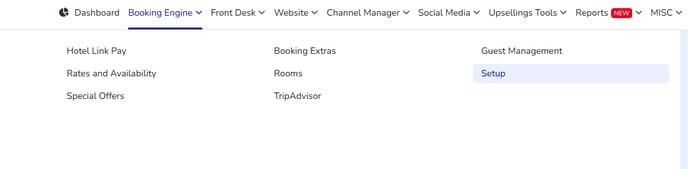
Go to Booking Engine > Setup > Settings
-
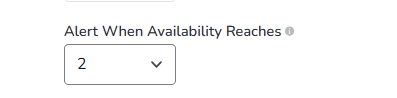
Locate the option Alert When Availability Reaches
-
Choose the availability value from the dropdown (This is the remaining number of rooms that will trigger the alert)
-
Save your changes
Once saved, the system will automatically send an alert to your email whenever availability reaches the selected value. The alert will be sent to your reservation emails setup: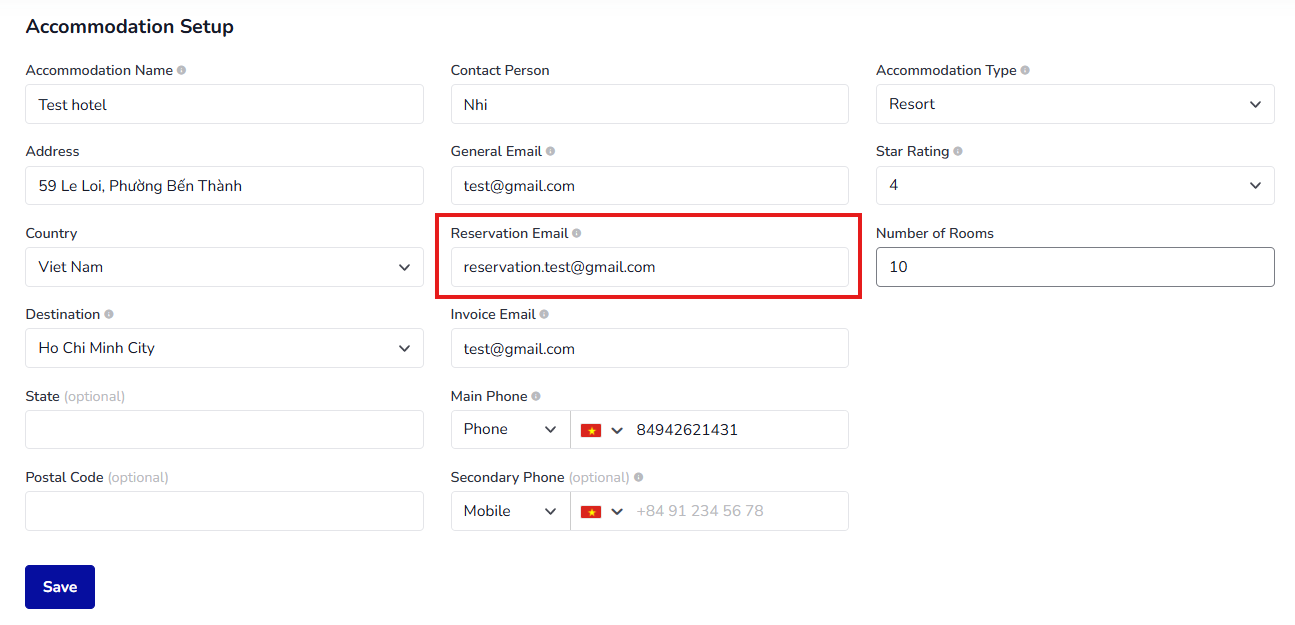
Note: Selecting 'No alert' if you don't want any availability alert.
Example: If the alert is set to 2 rooms, an alert will be sent when availability drops to 2, giving you time to react before rooms sell out.