![hotellink-logo-white.png]](https://help.hotellinksolutions.com/hs-fs/hubfs/hotellink-logo-white.png?height=35&name=hotellink-logo-white.png)
What is Payments by booking?
Payments by Booking is a service where Booking.com collects payments from your guests on your behalf and then pays you using your preferred payout method.
You can receive payouts in two ways:
- Virtual Credit Card (VCC): A temporary digital Mastercard generated for each booking. A new VCC is issued for every relevant reservation.
- Bank Transfer: Payments are sent directly to your bank account in scheduled installments (daily, weekly, or monthly).
This setup helps simplify payment collection and ensures a more secure and consistent payment process for your property.
How to use this feature
To use this feature, first, you have to activate Booking.com connection. For more details, click here.
Once the connection is activated, please contact your local partner. After that, the local partner will send the request to our Hotel Link Global support team to enable this feature for your property.
Register payout method steps
-
Access Channel Manager > Booking.com
-
Select 'Payments by Booking' tab.
- Select the property ID to set up the payout configuration.
The system will get the current payout configuration of the property ID on Booking.com and show accordingly.
There are 2 cases that may apply to your property:
-
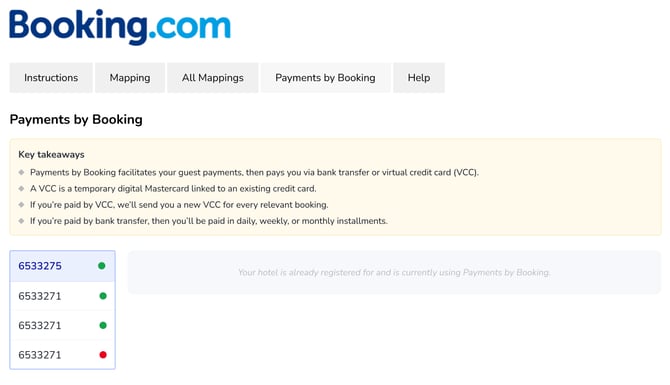
Case 1: Your hotel is already registered and is currently using Payments by Booking. In this case, please contact your local market manager for better assistance.
-
Case 2: Your hotel is not registered for Payments by Booking and can onboard to Payments by Booking. To onboard to Payments by Booking, please take the following steps:
- On the screen, you need to select the preferred payout method:
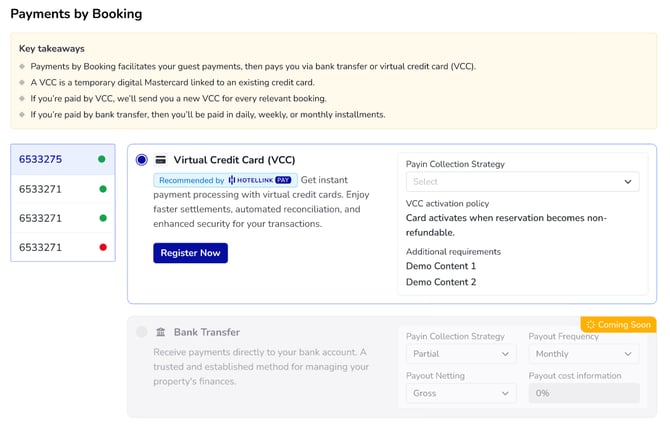
- Virtual Credit Card (VCC): If you choose VCC as the payout method, you receive a temporary, digital card (issued per booking) that contains the exact amount that the guest paid for the reservation.
-
Payin Collection Strategy: Specifies how Booking.com collects payments from guests during the booking process.
This can be either partial or all, depending on the property’s payment setup. - Additional requirements: Lists any additional requirements for the given payout method. For example, in some cases, you have to take certain actions to be able to use the particular payout method.
-
- Bank Transfer (BT) (coming soon): If you choose BT as the payout method, Booking.com pays you directly into your bank account, typically in your local currency. Payouts can be monthly, weekly, or daily (limited to select countries).
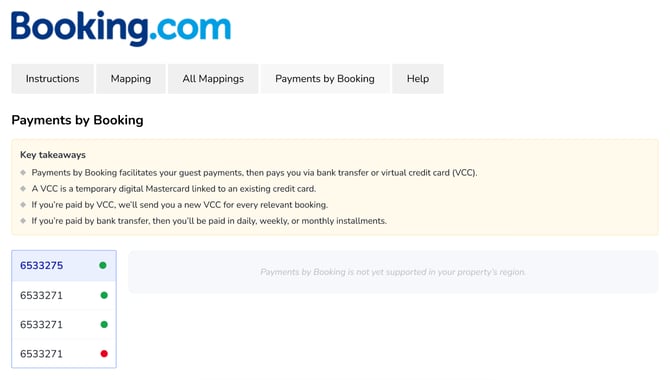
Note: If your property falls out of the 2 cases above, this means that Payments by Booking is not yet supported in your property’s region.
- Virtual Credit Card (VCC): If you choose VCC as the payout method, you receive a temporary, digital card (issued per booking) that contains the exact amount that the guest paid for the reservation.
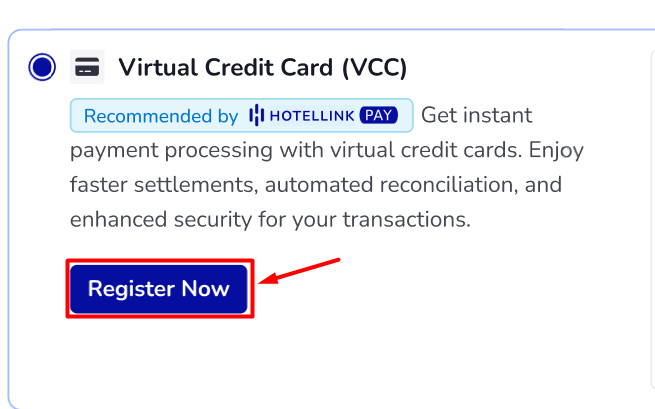
- Once you have selected the preferred payout method, click 'Register now'.
- Our system then submits your Payments by Booking onboarding request to Booking.com. Do not refresh the page while our system is processing the request.
- Once Booking.com accepts the request, our system will show as following:
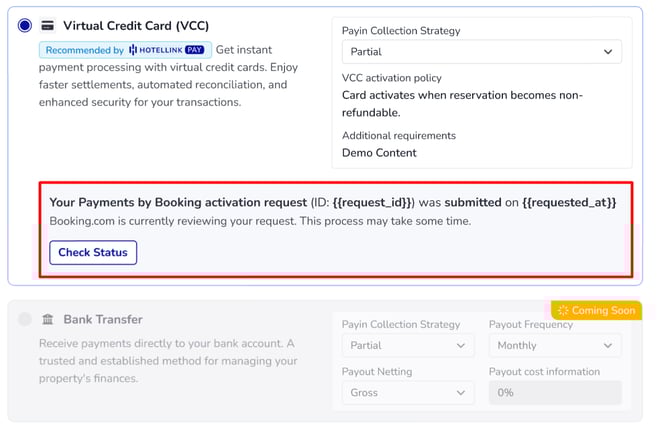
This will include the request ID and the request date for your reference.
- On the screen, you need to select the preferred payout method:
What you can do after submission
In case you want to check the status of your Payments by Booking onboarding request, click 'Check Status'.
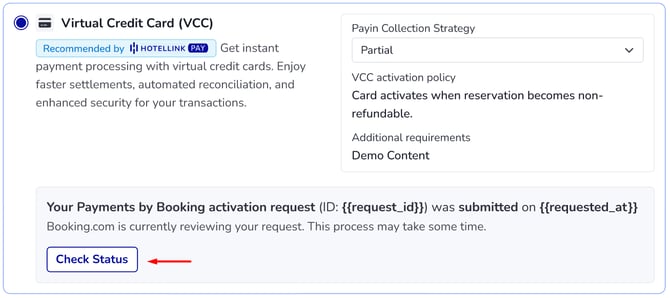
After that, Booking.com will update the latest onboarding request status. Here are the statuses for your reference:
- Successful: Onboarding completed successfully.
- Failed: Onboarding failed. In this case, you need to check your information or contact you local partner or Global support team (support@hotellinksolutions.com) for help.
- Rejected: Request was rejected. In this case, you need to check your information or contact you local partner or Global support team (support@hotellinksolutions.com) for help.
Once the Payments by Booking status is Successful, you can receive the payout according to the setting.