
Step-by-step Guide
To display rates on Front Desk calendar, please follow the steps as below:
-
Go to Front Desk > Calendar.
- In the 'More' menu, select Settings.
- In 'Display Rates on Calendar' option, select 'Yes' to display the room rates alongside the dates in your calendar.
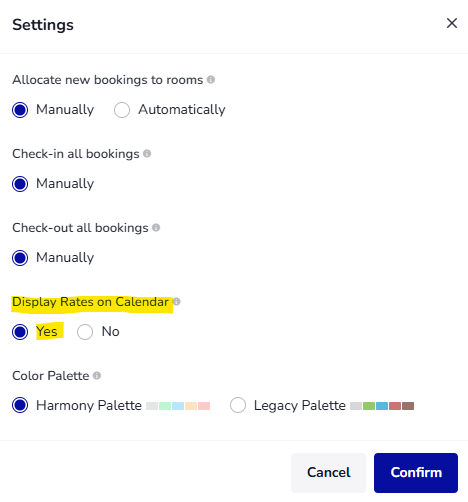
- Click 'Confirm' to apply changes.
Now the rates will be displayed alongside the dates in your calendar.
